The five best Biller Genie alternatives in 2026 are Paidnice, Chaser, Upflow, ezyCollect and Invoiced, compared on what each one does that Biller Genie does not: apply a late fee at a useful grain, publish a price you can sign off, and carry a verified review base. Published entry prices run from $69 a month.
| Tool | Best for |
|---|---|
| Paidnice | A Xero or QuickBooks Online business leaving over the 30-day fee that wants the charge on the ledger, per customer group |
| Chaser | A team with a credit controller that wants Creditsafe checks with email, SMS, letter and call chasing, and no payments business attached |
| Upflow | A business unbundling a payments product that first needs to see where its receivables are stuck |
| ezyCollect | An Australian or New Zealand trade business that wants credit screening before terms, in the platform that chases |
| Invoiced | A mid-market billing operation on NetSuite, Sage Intacct or Business Central that has outgrown the small-business category |
What accounts receivable software is (and what it is not)
Accounts receivable software works the unpaid invoices in your ledger. It reads open invoices from QuickBooks Online or Xero and runs reminders, statements and follow-up on a schedule you set, until each invoice is paid.
On the tools in this guide, that work covers:
- Reminders by email and SMS, with letters and calls on some tools
- Customer statements on a schedule you set
- Late fees and interest, on the two tools that raise them
- A customer payment portal and payment plans
- Credit screening, collections metrics or escalation, depending on the tool
It is not a payment processor. None of the five alternatives here processes payments. Your merchant account, gateway and card surcharging stay with a processor, which is the half of the Biller Genie bundle you unpick.
It is not your ledger. QuickBooks Online or Xero keeps the invoice and the payment. A late fee changes a payment decision only when the tool posts it to that ledger as an invoice before the customer’s payment run.
It is not invoice finance, and a late fee is not a card surcharge. A payment plan leaves the receivable and the credit risk with you, and a surcharge only fires when the customer pays by card.
Reminders and statements alone are a full use case. Late fees, credit checks and analytics are layers you add when your ledger needs them.
How this list was put together
This list helps a Biller Genie user find a tool that applies a late fee at a useful grain and publishes a price.
| What we checked | Where the evidence came from |
|---|---|
| Late fee grain | Vendor help pages on fees and interest |
| Published price you can sign off | The vendor's pricing page, and the last reported price where it is now hidden |
| Review base | The Xero App Store, including the Australian store, or G2, with the review count |
| Ledger integrations | Vendor integration pages |
| Statements, payment plans and a portal | Vendor feature pages |
| Credit checks | Vendor product pages |
What is the best Biller Genie alternative?
The fit depends on why you are leaving. Paidnice suits a Xero or QuickBooks Online business that wants the late fee and interest raised on the ledger, per customer group.
Chaser suits a team that wants Creditsafe checks alongside email, SMS, letter and call chasing. Upflow suits a team that needs collections measured first. ezyCollect suits an Australian or New Zealand trade business that screens credit. Invoiced suits complex, higher-volume billing on an ERP.
The one automatic consequence Biller Genie holds over a late payer is the Late Fee Manager, and it is worth understanding before you shop for anything to replace it. Nothing happens for the first 30 days.
After that the same amount is charged, and charged again every 30 days, with no interest calculation and no variation between one customer and another. It books to a Finance Charge account and syncs back with the payment.
That single mechanic explains most of this shortlist. So does the way you bought the product: Biller Genie is resold through payment processors and merchant services agents, so the software often arrives bundled with a merchant account. No other comparison on this site has to deal with that, and two sections below are about nothing else.
What Biller Genie is, and who sold it to you
Biller Genie automates invoice delivery, reminders and online payment on top of QuickBooks, Xero or AccountingSuite, last reported by third-party listings at $49.95 a month plus 0.50% of invoices collected, capped at $1,500 a month; Biller Genie now hides its prices, so request a quote.
Most of its customers did not find it by searching. It is resold through payment processors, ISOs and merchant services agents as a value-add alongside card processing.
That distribution explains the product. A percentage of collections is a processor’s pricing model rather than a software company’s. Biller Genie pushes its own merchant services alongside the software, although its site and docs say you can connect your own gateway, and they name USAePay, Maverick, Sola, Authorize.Net, Elavon and PayPal.
And the depth sits on the payments side rather than the receivables side: named gateways including USAePay, Maverick, Sola, Authorize.Net, Elavon and PayPal, surcharging and dual pricing with their own checkout flows, a virtual terminal and check capture, plus rare QuickBooks Desktop support through a separate connector. Where a US business genuinely has a payments problem rather than a receivables problem, it is a strong product.
Four things send buyers looking, in the order they usually come up:
- The percentage
- On the last reported rate, 0.50% of everything collected sits on top of the monthly fee, so the bill grows with revenue whether or not the tool is doing more work. The cap is $1,500 a month, which a business reaches at $300,000 collected in a month.
- The merchant stack
- Biller Genie pushes its own merchant services, and a reseller may have sold the software and the processing together. Its site and docs say you can connect your own gateway, so a business with a processor it likes should ask whether keeping it changes the quote.
- One cadence, no SMS
- Reminder timing is set once for the whole account and cannot be varied for a specific customer, and there is no SMS channel at all. Paper mail is a paid add-on at $1.50 a reminder.
- The late fee
- The Late Fee Manager is an add-on that does not treat an invoice as late until it is 30 days past due, then charges on a recurring 30-day schedule. There is no interest calculation, and nothing varies by customer.
Its public review base reflects the split: 4.8 from 27 reviews on Capterra, but 3.0 from 4 on G2 and 2.33 from 3 on its Xero App Store listing, where two of the three reviews give 1 star.
The percentage is a processing price. It follows the money whether or not the software did any more work this month than it did last.
What 0.50% of collections adds up to
The Biller Genie bill, as last reported by third-party listings, is two numbers: $49.95 a month, and 0.50% of the invoice value collected through it, capped at $1,500 a month. The second number is the one that decides whether an alternative is cheaper, and it depends entirely on how much a business collects.
On $150,000 collected in a month at 0.50%, the percentage fee is $750.00, so that month costs $799.95 and a year at the same volume costs $9,599.40.
Above the $1,500 cap the bill flattens at $1,549.95 a month. These are the last reported figures; Biller Genie now hides its prices, so request a quote.
Set against that, the published alternatives are flat. Paidnice is $69 a month on Essentials and $99 on Pro, charged on invoice volume rather than invoice value. Chaser is £199 a month up to £4m turnover. Neither takes a share of what you collect.
Late fee or card surcharge: two charges, two rulebooks
A surcharge is a percentage added for paying by card. A late fee is a charge for paying late. They are collected differently, they are governed by different rules, and a tool that automates one does not automate the other. Biller Genie does both, which is exactly why buyers conflate them.
The surcharge rulebook belongs to the card networks. Adding a fee for card acceptance is permitted only inside the brand rules you agreed to when you took the merchant account.
The surcharge is capped, it cannot exceed what you pay to accept the card, it has to be disclosed to the customer before the transaction and shown again on the receipt, and it does not apply to debit at all.
Several US states restrict or prohibit it outright. Dual pricing, where a cash price and a card price are both displayed, exists because it sits in a different part of the same rulebook.
The late fee rulebook is your own contract. What you may charge for late payment comes from the terms the customer agreed to, bounded by the rate limits of whichever state’s law governs the contract.
It applies whatever the customer eventually pays with, it accrues while the invoice sits unpaid, and it belongs on the ledger rather than at the checkout.
Three consequences follow, and between them they decide the shortlist:
- A surcharge only fires if they pay by card. The customer who pays late by check or ACH, which is the customer this entire category exists for, never sees it.
- A late fee reaches their accounts payable; a surcharge reaches their checkout. One is an invoice somebody has to schedule. The other is a line on a payment screen a buyer can avoid by paying another way.
- They are configured in different places. Surcharging is set up with your processor. A fee policy is set up in whatever reads your ledger. Separating the two is the migration.
Of the five below, Paidnice and Chaser apply a late fee and neither is a payment processor.
Upflow points the fee back to your ERP. ezyCollect documents no fee or interest function anywhere and offers automatic and customer-level card surcharging instead, which is the same substitution Biller Genie makes. Invoiced publishes a late fee use case but does not document the mechanism.
Five alternatives, and what each one does about payments
None of the five processes payments. That is the first thing to read off this table, because it is the half of the bundle you are unpicking.
Paidnice and Chaser are the two that apply a late fee, and the two with both a published entry price and a verified review base above 300. Upflow measures the ledger rather than charging against it, ezyCollect screens credit and surcharges cards but raises no fee, and nothing about Invoiced could be verified.
 |
 |
 |
 |
Invoiced | |
|---|---|---|---|---|---|
| Best for | Late fee on the ledger per customer group, Xero or QuickBooks Online | Creditsafe checks with email, SMS, letter and call chasing | Seeing where receivables are stuck, before enforcing anything | Australian and New Zealand trade credit screening with chasing | Mid-market billing on NetSuite, Sage Intacct or Business Central |
| Revenue fit | Any size up to $50m a year, or 50,000 invoices a year | £4m and under on the entry tier, tiers to £100m | Gross invoice value tiers, up to $10m through above $100m | Priced by active debtor count, from 200 debtors | Not published |
| From (monthly) | $69 | £199 | Not published | A$275 plus a A$900 setup fee (last published; now hidden, request a quote) | Not documented |
| Ledger integrations | Xero, QuickBooks Online | Xero, QuickBooks, Sage, NetSuite, Dynamics 365, AccountsIQ, SAP | Xero, QuickBooks Online, NetSuite, Sage Intacct, Stripe Billing, Chargebee, Zuora | Xero, MYOB, QuickBooks Online, NetSuite, SAP Business One, Sage 300 and Intacct, Pronto Xi | NetSuite, Sage Intacct, Dynamics 365 Business Central, QuickBooks, Xero |
| Late fee grain | Yes (per customer group) | Yes (one global rule) | No (via your ERP only) | None found | Not documented |
| Statements | Yes (any schedule) | Yes (monthly, fixed day) | Portal PDF statement, no scheduled send | Yes (monthly) | Not documented |
| Payment plans | Yes | Yes | No (promises to pay only) | Yes (enabled by support) | Not documented |
| Portal | Yes | Yes | Yes | Yes | Not documented |
| Credit checks | Yes: native checks from payment behavior, plus Creditsafe via API on the Custom plan | Yes (Creditsafe) | Yes (light scoring) | Yes (Experian) | None found |
| AI | Advanced Reads customer replies, drafts answers and follow-up actions (like PO updates) for your approval; MCP server for Claude, ChatGPT and other agents | None No AI features | Advanced Collections and cash application agents, from suggest-only to autonomous (Scale plan and up) | Basic an AI email template generator as a paid add-on; Aimie is in early access | Advanced Agentic AI (Assist, Automate, Advise) and CashMatch AI matching |
| Rated (source, count) | 5.0 (83, Xero App Store) | 4.98 (374, Xero App Store) | 4.8 (233, G2) | 4.9 (35, Xero App Store AU) | Not documented |
"Not documented" means the vendor does not document the capability. "Not published" means the vendor does not print a price. "None found" means no evidence either way. Prices are the vendor's published from-price, in the currency the vendor prints.
1. Paidnice, best for the fee on the Xero or QuickBooks Online ledger
Best for Xero and QuickBooks Online businesses that want the fee on the ledger, any size up to $50m a year, or 50,000 invoices a year
What is it best for?
For a business leaving Biller Genie because a reminder and a payment page are not enough, and the late fee needs to be raised on the ledger with a different rule for each customer group.
- Fits
- Xero and QuickBooks Online businesses of any size up to $50m a year, or 50,000 invoices a year, with or without a dedicated collections person
- Regions
- United States, Canada, United Kingdom, Australia, New Zealand, South Africa
- Entry cost
- $69/mo on Essentials, covering 150 invoices, 600 emails and up to 2 team members; Pro from $99/mo with unlimited users and no per-seat fee; extra Xero or QuickBooks organisations through a per-entity add-on from $29/mo. Customers are billed in their own currency from a fixed local price table rather than a conversion.
- Rated
- 5.0 from 83 Xero App Store reviews; 4.9 from 14 on Capterra
- Awards
- Winner, New Zealand Small Business App of the Year, Xero Global App Awards 2026; 2025 Xero Global Small Business App of the Year
- Runs on
- Xero, QuickBooks Online, Stripe, Pinch Payments, CloudDepot, HubSpot, Pipedrive, Zapier. No QuickBooks Desktop. NetSuite, Sage Intacct, MYOB and Dynamics 365 Business Central on the Custom plan only
- Late fees and interest
- Yes. Two charge types on the same customer group, an invoice late fee charged per overdue invoice and a statement interest charge against the whole overdue balance, flat, percentage or compounding, with compounding on by default and a Bank of England base rate option for UK trading
- Does best
- A different late fee policy per customer group, several of them running at the same time
Paidnice is the receivables half without the payments half, which is the shape of what you are unbundling. Reminder sequences run per customer group, statements go on whatever schedule you set including consolidated parent accounts, and payment plans, early payment discounts and a customer payment portal sit behind them.
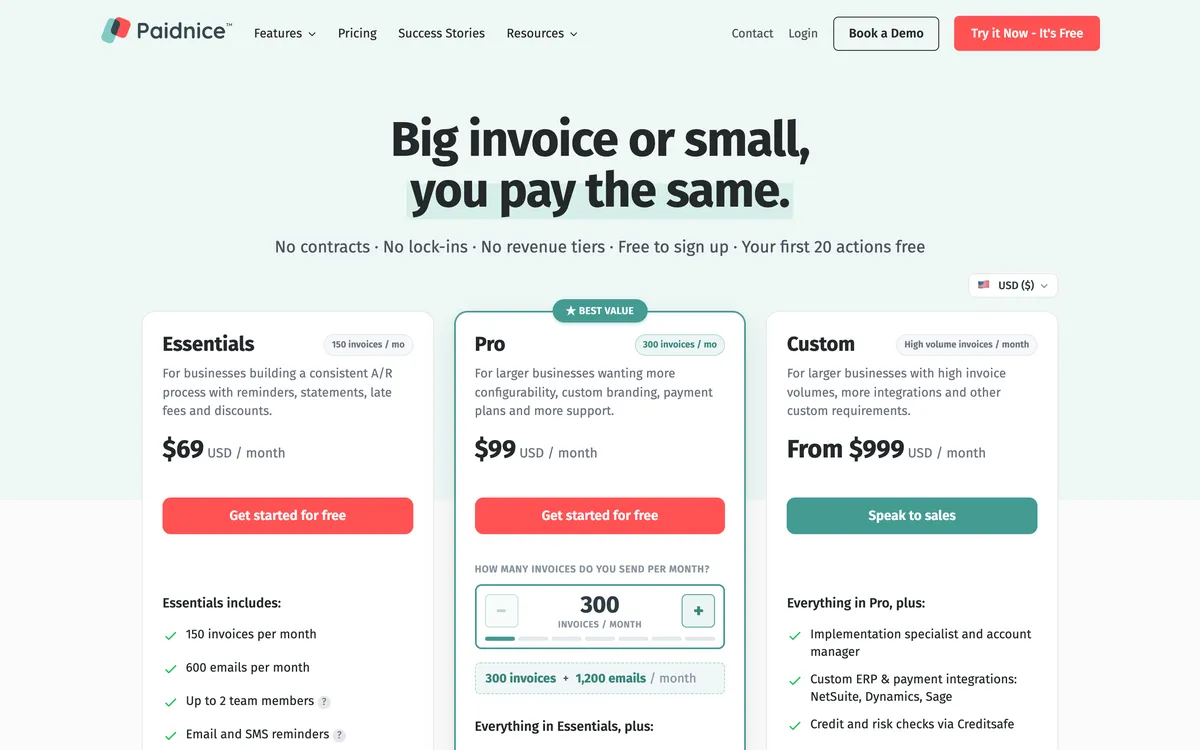
Reminders leave by email and SMS from the business’s own authenticated domain rather than one person’s mailbox, and a company running several Xero or QuickBooks organisations adds them through a per-entity add-on.
The charge is raised in the ledger as a Draft or an Approved invoice, and that placement is the whole argument. A Finance Charge line that syncs back with the payment arrives after your customer has already decided what to pay.
An invoice posted to their ledger arrives before their payment run, in the queue their accounts payable clerk works from. Statement interest is recalculated at the moment the statement sends rather than at the last policy run, and it is figured on the balance after any credit on the account.
Paidnice says its AI reads each inbound reply and drafts an answer to it; a person approves every drafted reply before it sends. The vendor reports customers halving their average days to payment within a month of switching it on.
Limitations with Paidnice. It processes nothing itself, so your merchant account and your surcharging setup become a separate decision rather than part of the product. Native to Xero and QuickBooks Online only, with no QuickBooks Desktop support at all, which rules it out for a Desktop business.
NetSuite, Sage Intacct, MYOB and Dynamics 365 Business Central are a Custom-plan build rather than connectors. There is no bank-file cash application.
Essentials holds 150 invoices and two team members, and some payment behavior differs between the two ledgers. On test 4 its 83 reviews are a thinner base than the 374 below.
Best suited for: A Xero or QuickBooks Online business leaving Biller Genie that wants the late fee raised on the ledger, with a different rule for each customer group. It processes no payments and has no QuickBooks Desktop support, so the merchant account becomes a separate decision.
2. Chaser, best for teams that want bureau credit checking in the same tool
Entry tier priced to £4m turnover
What is it best for?
For a finance team with a named credit controller that wants email, SMS, letters and automated calls on one schedule, with Creditsafe credit checks in the same system.
- Fits
- Businesses with a named credit controller; the entry tier is priced for £4m turnover and under, and the tiers run to £100m
- Regions
- UK-registered, trading since 2014, sells worldwide
- Entry cost
- £199/mo on Compact for turnover to £4m with 4 users; Core £599/mo to £10m; Complete £899/mo above that; Chaser Care, the managed service sold bundled with the software, from £899/mo on Compact (£1,599 on Core, £2,099 on Complete). Prices are in GBP excluding VAT, and a demo is required before you can buy.
- Rated
- 4.98 from 374 Xero App Store reviews; 4.5 from 68 on G2; 4.9 from 45 on Capterra, though that base is mostly 2020 to 2022
- Awards
- Xero App Partner of the Year 2023
- Runs on
- Xero, QuickBooks, Sage 50, Sage 200, Sage Intacct, Sage Business Central, NetSuite, Dynamics 365, AccountsIQ, SAP, HubSpot, Gmail, Outlook
- Late fees and interest
- Yes. Four calculation types, recalculated daily, but one global rule only, which cannot vary by schedule or customer group, and no fee is raised on payment-plan or partially paid invoices. Line-item sync of the fee is Xero only
- Does best
- Creditsafe credit checking and monitoring in the same tool as email, SMS, letter and call chasing
- Customers
- Named on its website: Pact Coffee, Huttie and TaxAssist. Huttie's case study reports £15,000 of old debt recovered.
Chaser has been chasing invoices since 2014 and has no payments business of its own to protect, which on this page reads as a feature rather than a gap.
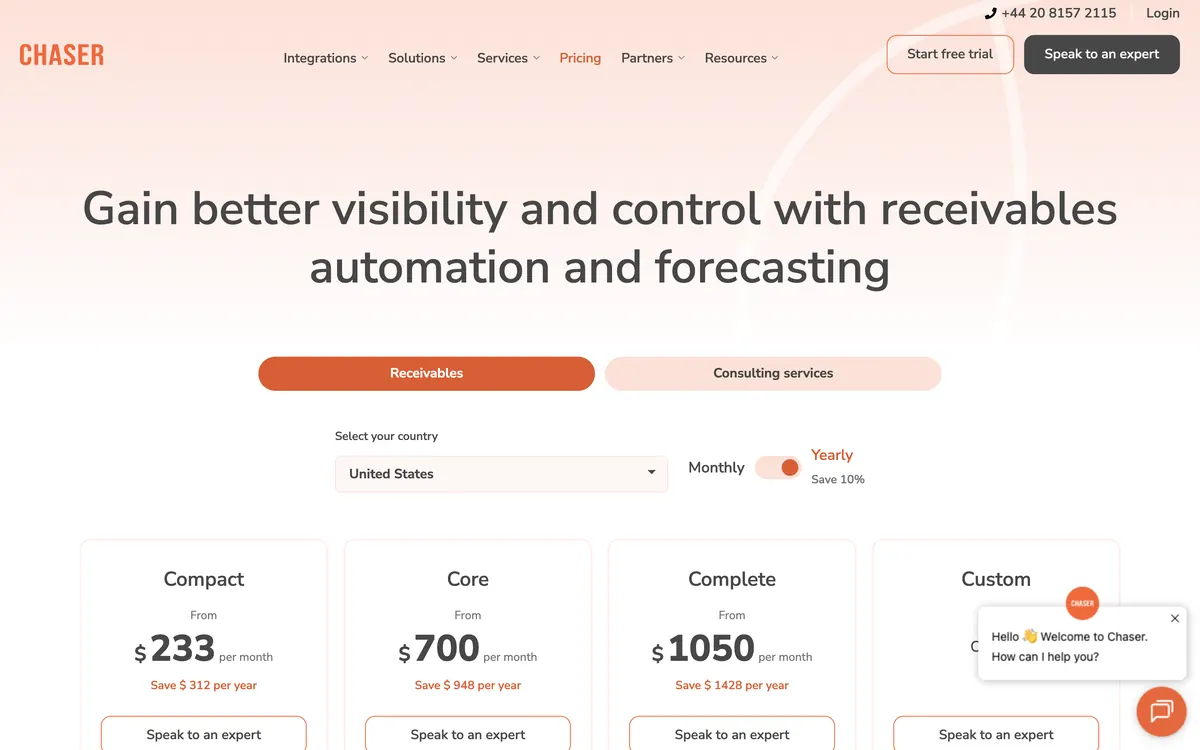
Reminders go from the team’s own Gmail or Outlook mailbox, with SMS, printed letters, a one-way automated call, a payer portal and integrated collections through its partner Debitura behind them. Every channel except email is metered by credits, so the running cost tracks how hard you chase rather than how much you collect.
Its in-app credit report comes from Creditsafe and carries a credit score with a recommended limit, the customer’s payment score, credit event history, and Companies House filing and director data, with continuous monitoring and a Late Payment Predictor over the top.
Nothing in Biller Genie is equivalent. For a business whose real exposure is who it extends terms to rather than how it takes the card, that is the reason to move in this direction rather than towards analytics.
Limitations with Chaser. One global late-fee rule that cannot vary by schedule or customer group, nothing raised on payment-plan or partially paid invoices, and a line-item sync that writes the fee back on Xero only. Statements go monthly, on a fixed day. Compact holds four users.
The entry price steps with company turnover rather than invoice volume, it starts at $259 a month for US revenue under $5m, and the entry price is reported to have risen sharply when Chaser moved off its old invoice tiers. A demo is required before you can buy, which is a change of pace from a card and a signup form.
Best suited for: A finance team with a named credit controller that wants email, SMS, letters, automated calls and Creditsafe checks on one schedule. Its late fee runs as one global rule, and pricing steps with company turnover, quoted in pounds.
3. Upflow, best for finding where the money stops moving
Gross invoice value tiers, and payments only as a $390 a month add-on
What is it best for?
For a business unbundling a payments product and discovering it has never had a receivables number to look at, only a processing statement.
- Fits
- B2B finance teams that manage by metric, quoted in five tiers by gross invoice value, from up to $10m on Starter to above $100m on Enterprise
- Regions
- Founded in Paris in 2018, headquartered in New York, customers in 30-plus countries
- Entry cost
- Not published. Upflow prints no figures and quotes five tiers by gross invoice value; its pricing FAQ mentions a free Discover plan for analytics, but it is not among the plan cards. Third-party captures from 2024 put Grow at $440 a month and Scale at $880.
- Rated
- 4.8 from 233 G2 reviews; 4.5 from 15 on Capterra; 5.0 from a single review on its Xero App Store listing
- Awards
- None found
- Runs on
- Xero, QuickBooks Online, NetSuite, Sage Intacct, Stripe Billing, Chargebee, Zuora
- Late fees and interest
- No, via your ERP only. Upflow's own documentation points the job back to the ERP and there is no native computation
- Does best
- Collections analytics, with countback DSO against best possible DSO, collection effectiveness and an at-risk rate above 90 days
- Customers
- Named on its website: Lattice, Vercel and Front. Lattice's case study reports 99% collection with one person in AR.
Upflow answers a question a Biller Genie buyer has usually not asked yet: where the money is actually stuck.
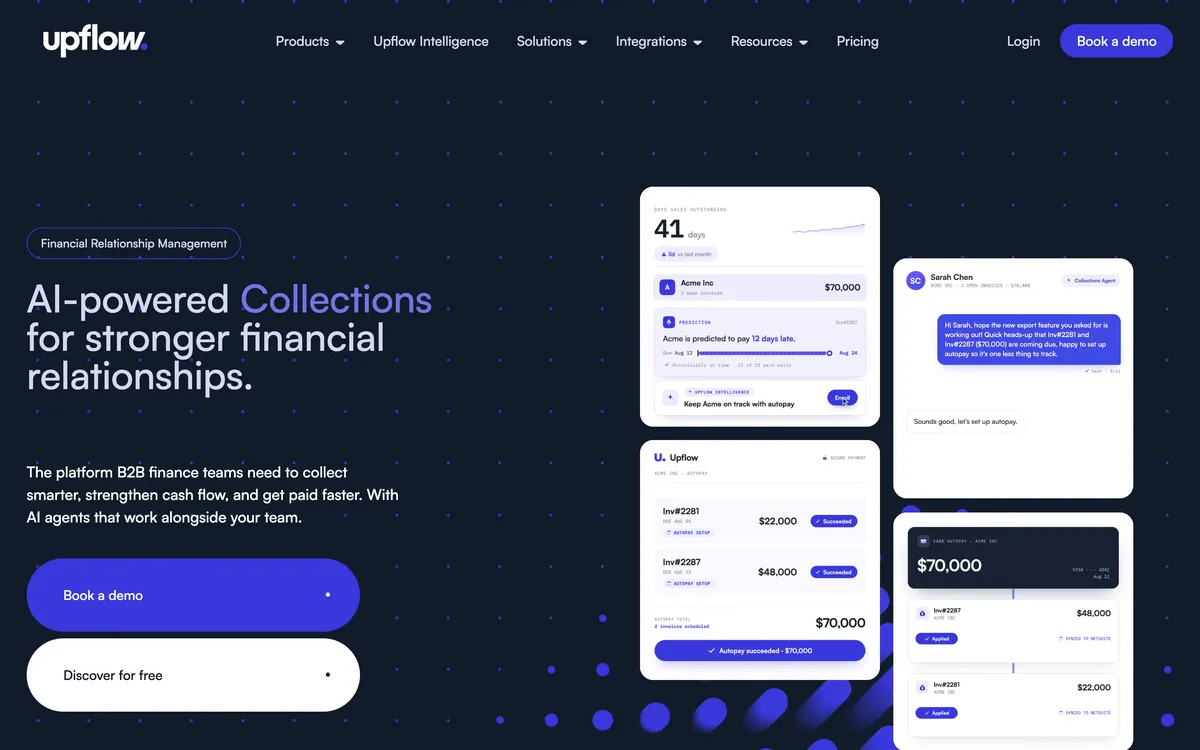
Countback DSO set against best possible DSO, collection effectiveness, at-risk balances and billing-cohort cash forecasting sit on dashboards you can filter by workflow, country or account manager and have delivered by email, and its cash application matches incoming payments to invoices even where the remittance detail is missing.
What it will not do is enforce. There is no fee engine, no installment schedule and no payment stack of its own, and the free Discover tier reports the numbers and chases nobody. For a business leaving over the percentage of collections, that is a sideways move rather than a replacement, unless reporting was the thing that was actually missing.
Limitations with Upflow. No native late fees, so fees go back to your ERP. No payment plans, only customer-initiated part payments and promises to pay. Automatic actions fire once a day, on business days only.
Sending through your own SMTP disables open and click tracking, and the QuickBooks link is one-way, polled every five minutes, with payments landing in Undeposited Funds for manual reconciliation. Its last reported prices were $440 a month for Grow and $880 for Scale in 2024, now hidden, request a quote.
Best suited for: A business unbundling a payments product that first needs to see where its receivables are stuck. It has no native late fees and no payment plans, and its last reported price ($440 a month for Grow in 2024) is now hidden, so request a quote.
4. ezyCollect, best for trade businesses wanting credit screening with chasing
Best for wholesale and trade businesses that want credit screening with their chasing, priced by active debtor count
What is it best for?
For an Australian or New Zealand wholesale, distribution or trade business that wants a customer screened for credit risk before terms are extended, in the same platform that chases the invoice.
- Fits
- Wholesale, distribution and trade businesses. No revenue band published; the product is priced by active debtor count, starting at 200 debtors
- Regions
- Founded in Sydney, part of Sidetrade since October 2025. Core market is Australia and New Zealand, with ACH support for the United States
- Entry cost
- A$275/mo on ezyStart for up to 200 debtors, 3 users and 1 workflow, on an annual contract (last published; now hidden, request a quote), plus a one-off setup fee from A$900; ezyGrow A$950/mo, ezyScale A$2,350/mo, ezyUltimate not published, with setup up to A$3,900. Month-to-month billing is about 20% higher. Mail, SMS and fax are charged on top, in-app demand letters are A$49 each ex GST, and the payment gateway carries a A$90 a month ex GST fee. Last published; ezyCollect now hides its pricing, request a quote.
- Rated
- 4.9 from 35 reviews on its Xero App Store listing; 4.7 from 25 on G2; 4.9 from 12 on Capterra, a base that is thin and mostly pre-2024
- Awards
- None found
- Runs on
- Xero, MYOB AccountRight, Exo, Essentials and Acumatica, QuickBooks Online, NetSuite, Dynamics, Sage 300 and Sage Intacct, SAP Business One, Pronto Xi, Attaché, JCurve, CSV
- Late fees and interest
- None found. No late fee or interest function appears anywhere in the vendor's help center or its relaunch materials; card surcharging is the only charge it adds
- Does best
- Credit screening through Experian before terms are extended, in the same platform that runs the chasing
- Customers
- Named on its website: Feral Brewing, Hampers with Bite and Skillinvest. Feral Brewing's case study reports overdue accounts cut by over 50%.
ezyCollect works the customer rather than the invoice: overdues are consolidated per customer, and workflows run a pre-reminder plus a set of follow-up steps (six in the help center's example) across email, mail, SMS, fax and call tasks.

Credit Insights combines your own aged trial balance and terms with external Experian data to put customers into risk groups, with monitoring sized by debtor count. Escalation runs through in-app demand letters and a manual referral to partner collection agencies at a commission from 25% of the amount recovered.
Since the Sidetrade acquisition, ezyCollect has announced an AI collections product called Aimie, which is in early access and not generally available.
Limitations with ezyCollect. No late fee or interest automation of any kind, which is the capability a business usually leaves Biller Genie to get. Customers who fall outside the workflow window stop receiving automated follow-ups. The subscription is priced by active debtor count with a setup fee on every tier, and mail, SMS and fax sit on top of it.
The published price is the annual-contract rate, so monthly billing is about 20% higher. Reviewers report a gap between the advertised price and the quoted one. The review base is thin and mostly predates 2024, and there is no public API documentation.
Best suited for: An Australian or New Zealand wholesale or trade business that wants credit screening before terms, in the platform that chases. It has no late fee or interest automation, and every tier carries a setup fee.
5. Invoiced, best for complex, higher-volume billing on an ERP
With no published price
What is it best for?
For a mid-market or enterprise billing operation on NetSuite, Sage Intacct or Dynamics 365 Business Central that needs the whole invoice-to-cash cycle in one platform.
- Fits
- Mid-market and enterprise billing operations. No revenue band published
- Regions
- United States, part of Flywire since its acquisition
- Entry cost
- Not published, and no figure could be verified from the vendor's public materials. Ask for a written quote before committing
- Rated
- Not documented. No review score is published
- Awards
- Not published
- Runs on
- NetSuite, Sage Intacct, Dynamics 365 Business Central, QuickBooks Online, QuickBooks Desktop, QuickBooks Enterprise, Xero
- Late fees and interest
- Not documented. A late fee automation use case is published on the vendor's own site, but the mechanic behind it is not documented
- Does best
- Invoice-to-cash breadth for complex and recurring billing at volume
- Customers
- Named on its website: WebPT, iWave and Apartment Life. Apartment Life's case study reports overdue accounts cut by 50%.
Invoiced is a US invoice-to-cash platform whose positioning has moved towards the enterprise since the Flywire acquisition: persona pages for the CFO, the controller and the AR manager, gated white papers, and ERP integrations at the center of the story. The Xero and QuickBooks integration pages are still maintained, but they are no longer where the product is being sold.

That matters for a Biller Genie buyer, because Biller Genie is a small-business product bought on a card. Moving to Invoiced means a sales cycle, a quote and an implementation rather than a signup. It belongs on this list for the businesses that have outgrown the category rather than the price.
Limitations with Invoiced. No price is published and none could be verified, so criterion 3 cannot be scored. No review score could be verified either, so criterion 4 cannot be scored.
The feature inventory has not been confirmed from primary sources, which is why every capability cell for Invoiced in the table above reads "Not documented" rather than yes or no. The enterprise direction deprioritises the small-business audience the Xero and QuickBooks integration pages nominally serve.
Best suited for: A mid-market billing operation on NetSuite, Sage Intacct or Business Central that needs the whole invoice-to-cash cycle on one platform. Its price, review scores and feature inventory could not be verified.
Your merchant account after Biller Genie
None of the five is a payment processor. If your processing was sold alongside Biller Genie, leaving means unbundling software from processing, and the unbundling is the work rather than the software choice.
Five questions to settle before you shortlist anything, roughly in the order they will bite:
- Does your processing agreement survive? If the card and ACH processing was written alongside the software by the same agent, find out what the agreement covers on its own, what the term is, and whether anything in it ends when the software does.
- Who holds the cards on file? Stored payment methods live with a gateway or a processor rather than with an invoicing app, and whether they can be tokenised across to a new provider depends on that relationship rather than on the tool you are leaving. If they cannot move, every customer on autopay re-enters a card.
- Does the surcharging configuration move? Surcharging and dual pricing are set up in the checkout flow. A receivables tool does not carry them, so they either stay with the processor or they stop.
- What happens to reconciliation? Today the fee, the payment and the QuickBooks record arrive together. Split the stack and the fee is posted by one system while the settlement lands from another, which is a bank rule to write rather than a crisis, but it is work somebody does once.
- Who do you call when a payment fails? One vendor becomes two. Ask that question in both directions before you sign anything.
The upside of the split is that the two halves stop being priced as one. Once processing is a processing contract, it can be shopped on rate.
Once the receivables tool is a subscription, it costs the same in a strong month as in a weak one. That is the whole case for unbundling, and it only pays if you actually re-shop the processing rather than leaving it wherever the software left it.
The 30-day repeat, against a policy you control
The Late Fee Manager waits 30 days, then charges the same amount every 30 days after that. Two of the five below replace that with something you can shape: Paidnice with policies per customer group carrying two charge types at once, Chaser with four calculation types run as one global rule.
Upflow hands the job back to your ERP, ezyCollect documents no fee mechanic at all, and Invoiced does not document its mechanism.
Two things separate them from what you have. The first is timing: both compute against the due date rather than waiting out a fixed month, so a customer 40 days late and a customer 90 days late are not charged the same amount.
The second is grain. Chaser recalculates daily across four calculation types, but one rule covers every account and nothing is raised on a payment-plan or partially paid invoice.
Paidnice hangs its policies under customer groups, so a wholesale group, a retail group and a disputed-accounts group each carry a different rule at once, with a fee per overdue invoice and an interest charge against the whole overdue balance running together.
Both are more precise than what you run today, which is usually an easier conversation with a customer.
Chaser: one setting, whole customer list
- A daily recalculation, on any of four methods
- One setting, applied across every account you trade with
- Skips anything on a plan or partially settled
- The write-back is a Xero line item and nothing else
Paidnice: a setting for each customer group
- Flat, percentage or compounding, compounding on by default
- As many rules as you have customer groups
- A charge per overdue invoice and one against the balance
- Net of any credit sitting on the account
- Lands in Xero or QuickBooks Online as a real invoice
The only two tools here that raise a charge themselves, read against each other on grain. Upflow sends the job back to your ERP, ezyCollect documents no fee or interest function, and Invoiced does not document the mechanic behind its use case.
Where the fee lands: on the ledger, or inside the app
Biller Genie books its late fee to a Finance Charge account and syncs it back with the payment, which means the charge is recorded at the moment your customer pays rather than while they are deciding what to pay.
That is the wrong end of the process. A fee meant to change a payment decision has to be sitting in their accounts payable when the payment run is built.
So ask any vendor to show you the charge inside the Xero or QuickBooks record rather than on their own dashboard. Paidnice posts it as a Draft or an Approved invoice, your choice. Chaser raises it and syncs it back as a line item on Xero alone. Upflow does not raise it at all.
Installments, and who holds the card on file
Paidnice, Chaser and ezyCollect all schedule installments against an open invoice. Upflow takes customer-initiated part payments and promises to pay instead, and nothing could be verified for Invoiced. Biller Genie has the customer request a plan through the portal and the merchant approve or reject each one.
Two questions decide this for a business coming off a payments-led product. Who sets the plan up, and who holds the card that pays it.
On the first, that approval step puts a person in the loop on every plan, which is fine at a handful a month and a bottleneck at fifty.
Chaser splits an invoice weekly through to yearly, but its chasing keeps following the original due date rather than the installment dates, and its own documentation says to chase the installments manually. ezyCollect sells Payment Plans as a paid add-on, set up at the invoice or customer level.
On the second, the stored payment method sits with whoever processes the payment. Paidnice runs deposits, installments and auto-pay through Stripe and Pinch, so the card lives with the gateway you connect rather than inside a bundled merchant account. That is the same unbundling question as the section above, arriving through a different door.
An installment plan is not invoice finance. The plan leaves the receivable and the credit risk with you and only moves the dates; a finance provider settles the invoice in full and carries the risk itself.
What these cost against a per-transaction model
Biller Genie was last reported by third-party listings at $49.95 a month plus 0.50% of what it collects, capped at $1,500 a month; it now hides its prices, so request a quote.
Published entry prices for the five: Paidnice $69 a month, Chaser £199, ezyCollect A$275 (last published; now hidden, request a quote) on an annual contract plus a A$900 setup fee. Upflow and Invoiced publish nothing. Check current pricing with the vendor.
Compare the metric before the number, because a percentage of collections is the only model here that grows with revenue whether or not the software did more work.
Every alternative on this page is a subscription: Paidnice bills on invoice volume with no per-seat fee above the entry plan, Chaser bills on company turnover so the step arrives with growth rather than usage, and ezyCollect bills on active debtor count with a setup fee on every tier and mail, SMS and fax metered on top.
Then add what falls out of the bundle. Processing does not disappear when the software changes, so the honest comparison is the alternative’s subscription plus whatever your processor charges once it is priced on its own, set against $49.95 plus the percentage plus any processing bundled with it.
Two of the five cannot be bought without a conversation. Chaser requires a demo before purchase, and Upflow gates even its free analytics tier behind a call. Invoiced publishes no figure at any tier, so a written quote is the only way to line it up against anything else here.
QuickBooks Online, Xero, and where the payment lands
Biller Genie reaches QuickBooks Online, Xero, AccountingSuite and, unusually for this category, QuickBooks Desktop. That last line is the single fact most likely to keep a business where it is.
- QuickBooks Desktop. Invoiced lists Desktop and Enterprise. Paidnice, Chaser, Upflow and ezyCollect do not, so four of the five are gone before the feature comparison starts. On Desktop, with Invoiced out of budget, staying put is a defensible answer.
- QuickBooks Online. All five connect, and the direction of the connection matters more than the tick. The Upflow link is one-way and polled every five minutes, so it reads the ledger rather than writing to it, which is a problem when the whole point is posting a charge.
- Xero. All five connect. Paidnice and Chaser are the two that also raise a fee, and Chaser’s line-item fee sync works only here.
- MYOB. ezyCollect covers AccountRight, Exo, Essentials and Acumatica, which nothing else on this page does. Paidnice reaches MYOB on its Custom plan as a build.
- NetSuite, Sage Intacct and SAP. Chaser, Upflow, ezyCollect and Invoiced. Paidnice reaches NetSuite, Sage Intacct and Dynamics 365 Business Central on the Custom plan only.
Which Biller Genie alternative fits your use case?
Start from why you are leaving Biller Genie. Each row names the tool to look at first and the reason, using the facts in the entries above.
| Use case | Start with | Why |
|---|---|---|
| Leaving over the 30-day late fee, on Xero or QuickBooks Online | Paidnice | A fee policy per customer group, posted to the ledger, from $69 a month |
| Credit checks before you extend terms | Chaser | Creditsafe reports beside email, SMS, letter and call chasing, from £199 a month |
| You need to see where receivables are stuck | Upflow | Countback DSO and collection effectiveness dashboards, quoted rather than priced |
| Australian or New Zealand trade customers | ezyCollect | Experian credit screening and demand letters, with no late fee function |
| You run QuickBooks Desktop | Invoiced, or stay | Invoiced is the only alternative here that lists Desktop |
| Card volume is the workload and receivables are under control | Stay on Biller Genie | Its payments stack is the deepest on this page |
Questions from teams leaving a payments-led AR tool
What comes up once a business decides the percentage is no longer worth paying: what the alternatives charge, which of them raise a fee, what happens to the processing, and what Biller Genie still does better than any of them.
Why do businesses look for a Biller Genie alternative?
Four reasons come up. The first two are the 0.50% of collected invoice value on top of the last reported $49.95 monthly fee, and the push to process payments through Biller Genie's own merchant services, although its docs say you can connect your own gateway.
The other two are one global reminder cadence with no SMS, and a late fee add-on that will not treat an invoice as late until it is 30 days past due.
Which Biller Genie alternative is cheapest?
Paidnice, at $69 a month on Essentials, covering 150 invoices, 600 emails and up to two team members.
Chaser starts at £199 a month for turnover up to £4m, ezyCollect at A$275 a month (last published; now hidden, request a quote) on an annual contract plus a A$900 setup fee; Invoiced publishes no price at all, and Upflow, last reported at $440 (Grow) and $880 (Scale) a month in 2024, is now quote-only.
Upflow's free Discover tier is analytics only and runs no collection automation.
Which of these alternatives apply late fees automatically?
Paidnice and Chaser: Paidnice runs a policy per customer group and posts the charge to the ledger as Draft or Approved, with two charge types available on the same group. Chaser runs four calculation types as one global rule that cannot vary by schedule or customer group.
Upflow points the job back to your ERP, ezyCollect documents no fee or interest function anywhere in its help center, and Invoiced does not document the mechanic behind its late fee use case.
Do these alternatives integrate with QuickBooks and Xero?
All five connect to both QuickBooks Online and Xero. Only Invoiced lists QuickBooks Desktop, so a Desktop business loses four of the five options immediately. Confirm your own ledger and edition before you shortlist anything.
How much does Biller Genie cost?
Capterra and G2 list plans from $24.95 a month. Capterra and G2 list plans from $24.95 a month. Capterra and G2 list plans from $24.95 a month. Capterra and G2 list plans from $24.95 a month. Capterra and G2 list plans from $24.95 a month. Third-party listings last reported $49.95 a month plus 0.50% of invoices collected, capped at $1,500 a month. Biller Genie now hides its prices, so request a quote.
What happens to my merchant account if I leave Biller Genie?
None of the five alternatives is a payment processor, so your processing stays a separate contract. Check what the processing agreement covers on its own, who holds the cards on file, and whether surcharging stays with the processor or stops.
What does Biller Genie still do better than these alternatives?
Payments. Named gateways including USAePay, Maverick, Sola, Authorize.Net, Elavon and PayPal, surcharging and dual pricing with dedicated checkout flows, a virtual terminal and check capture make it the deepest card and ACH stack of anything on this page, and it reaches QuickBooks Desktop through a separate connector.
If card volume is the workload and the receivables side is already under control, the percentage may be the cheaper trade.
Also worth reading before you switch
Buyer's guide
Best accounts receivable software
The pillar guide: pick by size and accounting system, with a recommendation matrix.
By accounting system
Best AR automation for QuickBooks
The tools that pick up where QuickBooks Online stops, compared.
Late fees
How much can I charge in late fees?
What a late fee can legally be, and how to set the rate.
Alternatives
Best ezyCollect alternatives
Five ezyCollect alternatives on enforcement, price and reviews.