The best accounts receivable software for Business Central is Paidnice, which connects to Business Central through a custom implementation on its Custom plan and adds late fees, statements, SMS, a payment portal and reply reading. Chaser and Kolleno also connect from outside Business Central. Collect 365, ASQiT Credit Control, Clever Credit, Sysco Credit Control and Credit Hound work with the data inside it.
In short
- Business Central already has reminder terms with unlimited levels, finance charge memos and customer statements. It sends them by email or print and stops there.
- AppSource and partner apps keep your credit controllers inside Business Central. SaaS tools add SMS, payment portals and reply handling.
- Both routes need upkeep. An app must keep working through two Business Central updates a year, and a SaaS tool needs a Microsoft Entra app and a permission set in each environment.
- Published prices run from free (ASQiT Credit Control Basic) to £899 a month (Chaser Complete). Kolleno and Paidnice quote Business Central setups.
Business Central sends your reminders by email or print, level by level, on a job queue. Your customers still ignore them, and your team copies overdue invoices into Outlook to chase them manually. The choice now is an app that lives inside Business Central, or a separate tool that connects to it.
What does Business Central already do for AR?
Business Central sends reminders by email or print on a job queue, with unlimited levels per reminder term, and it posts fees and interest to the customer and G/L ledgers.
The receivables set in standard Business Central is wider than many buyers expect. Microsoft documents these functions:
- Reminder terms and levels. Each reminder term can have unlimited levels, and most companies use two or three. Each level has a grace period, a due date rule, an additional fee and a setting for whether interest appears.
- Fees. The additional fee can be Fixed, Single Dynamic or Accumulated Dynamic, in local or foreign currency.
- Interest. Finance Charge Terms set the interest, by average daily balance or balance due. With Post Interest and Post Additional Fee ticked, issuing a reminder posts the charge to the customer ledger and the G/L.
- Reminder Automation. Create, Issue and Send steps run on a job queue, with a Manual, Weekly, Monthly or Custom cadence. Microsoft released it in public preview on 1 March 2024 and made it generally available on 1 April 2024 (Microsoft Learn).
- Statements. The Customer Statement report runs per customer or in bulk, by print, PDF or email.
- Credit limits. A credit limit sits on the customer card. Credit warnings warn by default and still allow posting. The Blocked field can stop shipping, invoicing or all transactions (Microsoft Learn).
A reminder term is assigned per customer, not per invoice. Ledger entries with On Hold filled in never trigger a reminder of their own, which is the only dispute switch in the base product.
Where Business Central stops
The gap starts once the reminder has gone out. Business Central does not send SMS, has no customer portal and does not read customer replies. It has no native promise-to-pay log or dispute workflow, and it has no setting to send a reminder before the due date.
Payment links are native only through PayPal Payments Standard, and Stripe needs a third-party extension (Microsoft Learn). SEPA direct debit works only on euro invoices, and the global version has no Bacs direct debit.
How this list was put together
This list helps a UK Business Central team pick accounts receivable software for the work after the reminder: chasing, replies, payment and credit holds.
| What we checked | Where the evidence came from |
|---|---|
| How the tool reaches Business Central: an AppSource or partner app inside it, or a SaaS service over the API | The vendor’s Business Central page or help article, and its Microsoft AppSource listing where one exists |
| What IT has to set up and keep running | Vendor setup articles and Microsoft’s documentation on Entra apps and update waves |
| Channels: email, SMS, letters, calls, portal | Vendor product and help pages |
| Late fees and UK statutory interest | Vendor help pages on fee and interest settings |
| Credit holds and credit limits | Vendor product pages |
| Published price, in pounds where the vendor bills in pounds | The vendor’s own pricing page or price guide; "Not published" where none exists |
| Rating and review count | The Xero App Store, G2 or the Sage UK Marketplace, where a listing exists |
"Not stated" means the vendor’s page is silent. "None found" means we found no evidence either way. Kolleno prices are in US dollars because Kolleno bills in dollars.
The eight tools in five checked facts
- Three of the eight connect from outside Business Central (Paidnice, Chaser and Kolleno). Four work with Business Central data as apps or partner add-ons (Collect 365, ASQiT, Clever Credit and Sysco). Credit Hound reads Business Central through a replicated database.
- Two of the eight print a monthly price: Chaser from £199 (its pricing page does not say which plan includes Business Central) and Credit Hound from £131 (its price guide names Business Central). ASQiT Credit Control Basic is free.
- Two of the eight work out a late fee or UK statutory interest themselves: Paidnice and Chaser.
- Three of the eight document SMS: Paidnice, Chaser and Kolleno.
- Two of the eight place customers on credit hold from inside Business Central: Clever Credit and Sysco Credit Control. Credit Hound freezes overdue accounts, and the vendor does not say where in Business Central that hold takes effect.
AppSource app or SaaS tool? The comparison table
AppSource apps run inside Business Central and suit small teams that work only in Business Central; SaaS tools connect over the API and add SMS, portals and reply handling.
Paidnice’s route reads differently from both groups because its connection is a custom implementation, built for each customer.
| Paidnice | Chaser | Kolleno | Collect 365 | ASQiT Credit Control | Clever Credit | Sysco Credit Control | Credit Hound | |
|---|---|---|---|---|---|---|---|---|
| Route | Custom implementation on the Custom plan | SaaS, connects over the API | SaaS, connects to ERPs | Enhancement inside Business Central | App inside Business Central | App inside Business Central | Add-on inside Business Central | Desktop product reading a replicated database |
| Microsoft AppSource | Not listed | Not stated | Not stated | Listed | Listed (Basic app) | Listed | Not stated | Not stated |
| Connection detail | Set up by an implementation specialist, quoted for your setup | OAuth 2.0 token, a Chaser extension installed, data pulled into Chaser | Business Central on the Enterprise plan only | Runs on Business Central data | Runs on Business Central data, Essential and Premium editions | Runs on Business Central data | Runs on Business Central data | External utility copies tables into an interim database |
| Main job | Chasing, fees and replies | Chasing and credit checks | Chasing and cash application | One-off emails from a Collections Hub | Credit controller role centre | Credit holds and a chasing log | Credit holds with controller review | Chasing worklist, disputes, promises |
| Channels | Email, SMS, statements, portal, call from Paidnice | Email, SMS, letters, calls, portal | Email, SMS, calls, portal | Not stated | Not stated | Not stated | Email, letters | |
| Reply handling | Paidnice reads the reply and drafts a response for approval | Not stated | Collections inbox | Not stated | Not stated | Logs disputes and promised payments | Not stated | Logs disputes and promised payments |
| Late fees and statutory interest | Per customer group, with a Bank of England base rate mode | One rule set for the account, with a Bank of England base rate type | None found | Not stated | Not stated | Not stated | Not stated | None found |
| Credit holds and limits | Credit limit per customer; a breach can raise an escalation; Creditsafe checks | Creditsafe checks | Credit scores in the app | Not stated | Not stated | Automatic holds for overdue or over-limit customers | Holds when balance plus open sales exceed the limit | Freezes overdue accounts |
| Multi-company | Each entity chases in its own name, currency and time zone | Multi-entity on Core and Complete | Multi-entity on Enterprise | Not stated | Not stated | Not stated | Not stated | Unlimited companies on one licence |
| Entry price | Custom from £749 a month, quoted for your setup | £199 a month (Compact) | Enterprise, custom price | Not published | Free (Basic) | Not published | Not published | £131 a month, or £2,500 plus £500 a year |
| IT effort | Implementation specialist | Global Admin and a full Business Central licence to connect | Not stated | AppSource install per environment | AppSource install per environment | AppSource install per environment | Not stated | External utility and interim database |
| Rating | Not applicable | 4.98 from 374 (Xero App Store) | 4.9 from 117 (G2) | No rating read | No rating read | No rating read | No rating read | 5.0 from 11 (Sage UK Marketplace) |
The table follows the list order. Prices are the entry figure on each vendor’s own pricing page or price guide, per month unless stated. Chaser’s pricing page does not say whether its prices include VAT. Chaser does not say which plan includes the Business Central connection. Check current pricing with the vendor.
Which accounts receivable software suits which Business Central team?
A small team that works only in Business Central fits an AppSource app; a team that needs SMS, a portal, reply handling or several companies fits a SaaS tool.
| Your team | Route that fits | Tools on this list |
|---|---|---|
| One company, a part-time credit controller, chasing mostly by email | App inside Business Central | ASQiT Credit Control Basic, Collect 365 |
| Orders keep shipping to customers who are over their limit | App inside Business Central | Clever Credit, Sysco Credit Control |
| Customers ignore emails, and you want SMS, a portal and statements | SaaS or custom connection | Paidnice, Chaser |
| You want late fees or UK statutory interest worked out per customer | SaaS or custom connection | Paidnice (per customer group), Chaser (one rule set) |
| Several Business Central companies, several currencies, a team of collectors | SaaS or custom connection | Paidnice, Chaser (Core and above), Kolleno (Enterprise) |
| Cash application is the main problem, at £100m turnover or more | SaaS | Kolleno |
| You want a one-off licence and a dispute and promise-to-pay worklist | Partner product | Credit Hound |
1. Paidnice, best for late fees and interest
Best for: a UK Business Central team that wants late fees, interest and statements set per customer group.
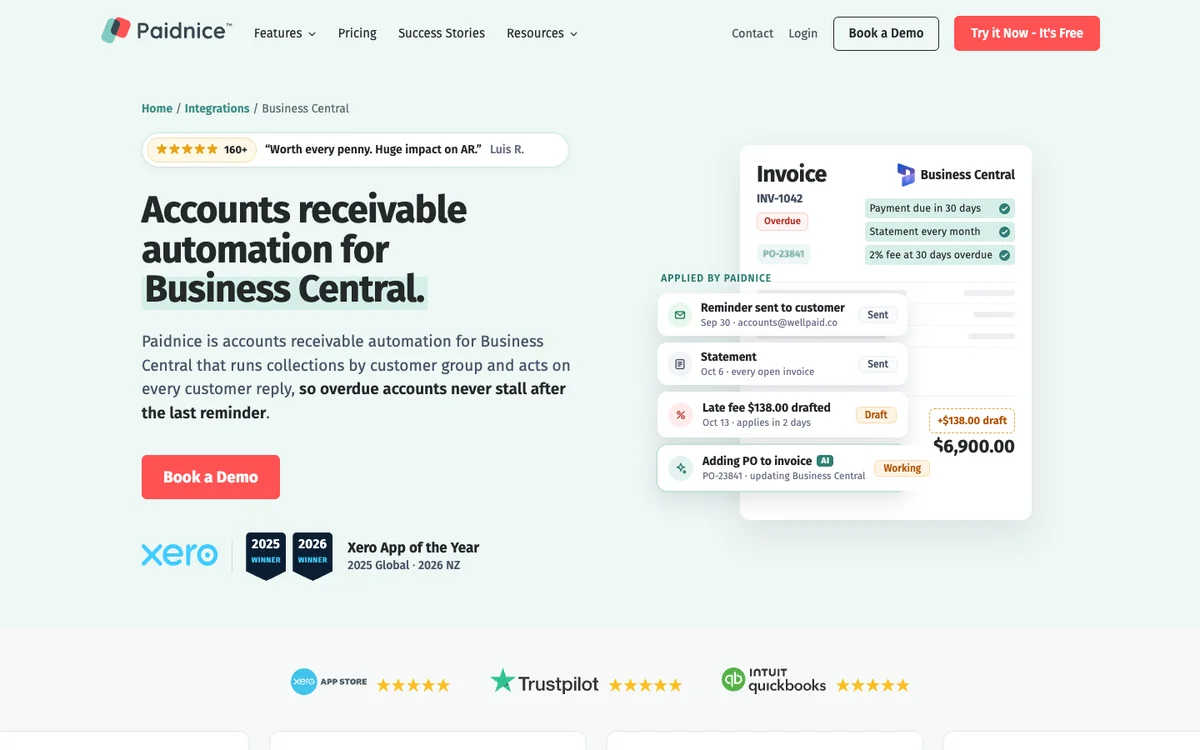
Paidnice is accounts receivable software that connects to Business Central through a custom implementation on its Custom plan, set up by an implementation specialist and quoted for your setup.
Fits: UK and international Business Central teams that want reminders, statements, late fees and payment in one tool, at any invoice volume
Entry cost: Custom from £749 a month ($999 in the US), quoted for your setup: the ERP connection, your invoice volume and support. There are no plan limits, and it is never priced by your revenue
Microsoft AppSource: Not listed
Does best: late fees and interest that differ by customer group, with a Bank of England base rate mode for UK statutory interest
Paidnice sends reminders by email and SMS, sends statements on the schedule you set, including consolidated statements for parent accounts, and runs payment plans and a customer payment portal. Pay now links appear in reminders, SMS, statements and the portal, and late fees post into Business Central as invoices.
Paidnice reads the reply. It drafts a response and the follow-up action, and a person approves it before anything sends. It also reads remittance advice in an email or an attached PDF and holds back reminders on the invoices being paid.
Credit checks run through your Creditsafe API connection, on the Custom plan. You can set a credit limit for each customer, and going over it can raise an escalation. In a group, each entity chases in its own name, currency and time zone.
Limitations with Paidnice. Business Central is on the Custom plan only, so there is no self-serve sign-up for it and no fixed published price; each setup is quoted. Paidnice has no Microsoft AppSource listing.
2. Chaser, best for multi-channel chasing
Best for: UK teams that want email, SMS, letters and Creditsafe checks in one tool.
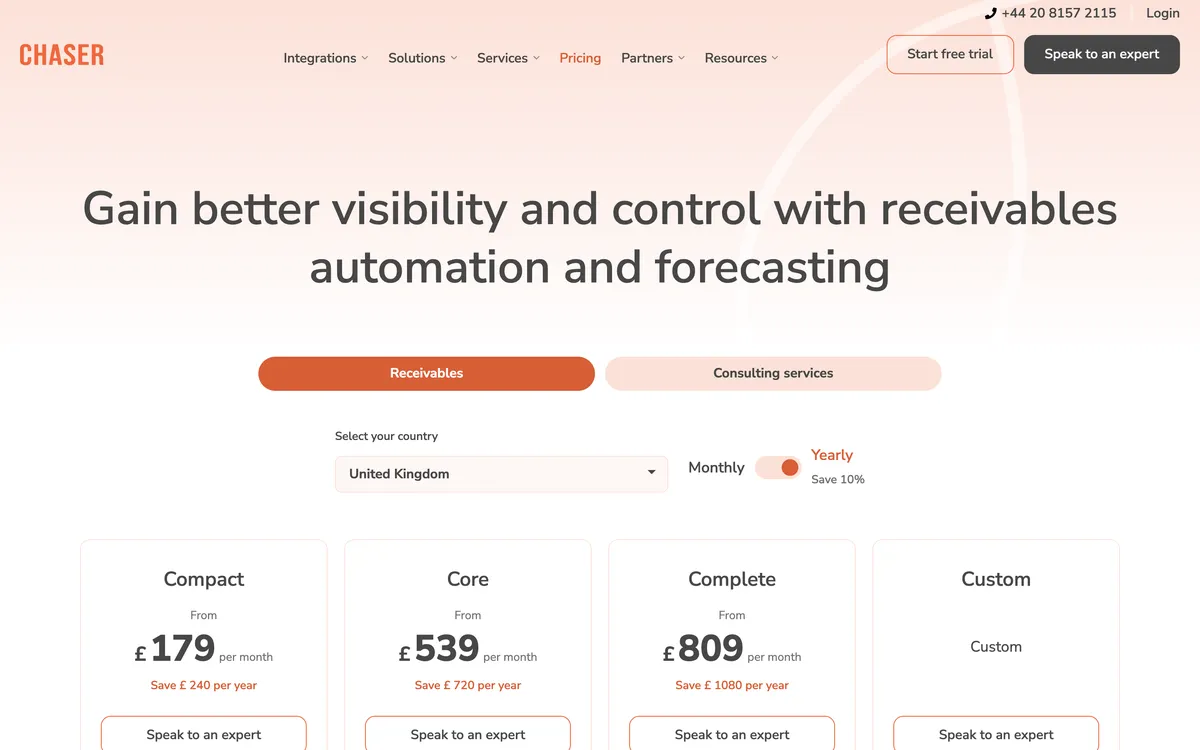
Chaser is a UK credit control tool that connects to Business Central over the API and pulls customers, invoices and payments into Chaser for chasing.
Fits: UK businesses with a named credit controller; Compact is priced for turnover under £4m, Core under £10m and Complete under £100m
Entry cost: £199 a month on Compact (£179 on yearly billing), Core £599 and Complete £899 (Chaser pricing page). The pricing page does not say which plan includes Business Central
Rated: 4.98 from 374 Xero App Store reviews
Trial: a 10-day free trial on request: you submit a signup form and Chaser provisions the account
Does best: Creditsafe credit checks in the same tool as email, SMS, letter and call chasing
Chaser’s help article describes a direct API integration with an OAuth 2.0 token. The person who connects it needs a full Business Central licence (Essential or Premium) and Global Admin rights, and a Chaser extension is installed in Business Central.
The sync brings contacts, invoices from the general ledger, credit notes, corrections and payments into Chaser. Syncs run regularly and again before reminder emails go out, and a Sync now button forces one. The article does not describe Chaser writing anything back to Business Central.
Late fees come in four calculation types, including a Bank of England base rate type, under one set of rules for the account. Multi-entity support is on Core and Complete, not Compact.
Limitations with Chaser. The data flow the help article describes runs one way, into Chaser. One set of late fee rules covers every debtor it applies to. The entry plan is priced by company turnover and caps the team at four users, and the pricing page has no VAT statement.
3. Kolleno, best for multi-entity teams
Best for: larger Business Central finance teams with multi-entity needs and cash application.
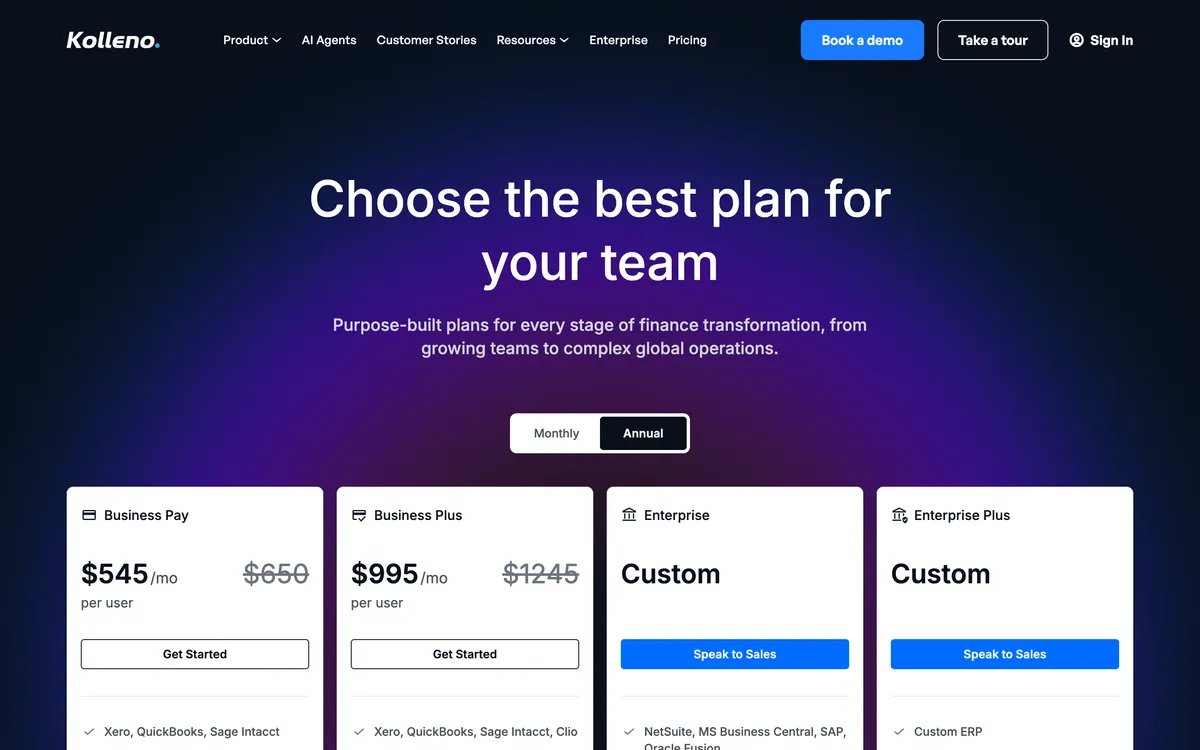
Kolleno is an order-to-cash platform that lists Microsoft Business Central only on its Enterprise plan, for companies with £100m to £1bn turnover.
Fits: finance teams at £100m turnover and above, with several entities and a cash application problem
Entry cost: BusinessPay $650 per user a month ($545 billed annually), Business Plus $1,245 ($995 annually). Business Central sits on Enterprise, which is priced on request with a three-user minimum (Kolleno pricing page)
Rated: 4.9 from 117 G2 reviews
Does best: automatic reconciliation of payments to invoices, which Kolleno lists from Enterprise up
Enterprise adds multiple entities, unlimited regions, human agent support, six hours of training and 400 SMS or calls. The lower plans carry a portal, payment links and a collections inbox.
Limitations with Kolleno. Business Central is gated to the Enterprise plan, so a mid-sized Business Central company cannot buy the connection on a published price. We found no late fee or statutory interest function. Pricing is per user, so the cost rises with the size of the team.
4. Collect 365, best for Business Central users
Best for: a team that wants a Collections Hub inside Business Central.
Collect 365, from Professional Advantage, is an enhancement for Microsoft Dynamics 365 Business Central, listed on Microsoft AppSource.
Fits: teams that chase by email and want to stay inside Business Central
Entry cost: Not published. The vendor’s page links to a Collect 365 pricing guide
Rated: No rating read
Does best: one-off emails from the Collect 365 Hub, with saved letter templates and the invoices attached
Limitations with Collect 365. The vendor’s page does not state SMS, a customer portal, dispute tracking or promise-to-pay tracking. As an AppSource app it has to keep working through each Business Central update wave.
5. ASQiT, best for a free starting app
Best for: a small team that wants a free base app and an assigned credit controller.
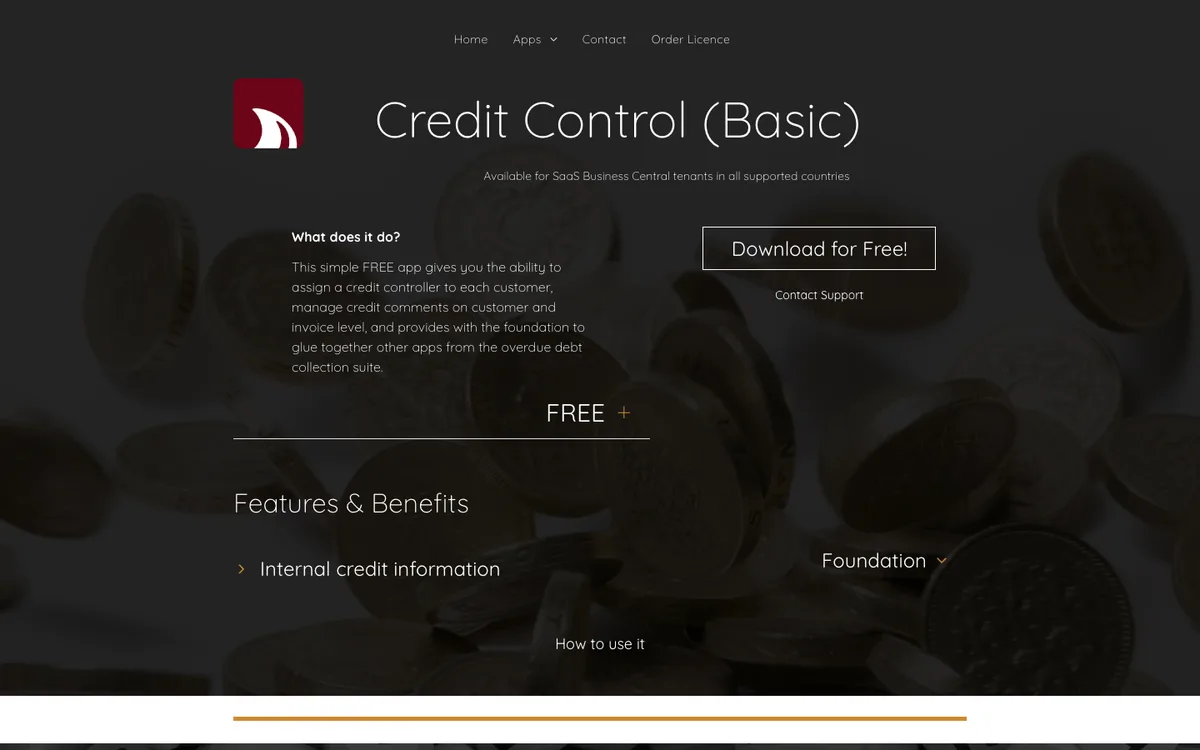
ASQiT Credit Control Basic is a free Business Central app for basic credit control, with one credit controller role centre.
Fits: small Business Central teams on Essential or Premium that want a starting point at no cost
Entry cost: Free for the Basic app, on SaaS tenants in all supported countries. ASQiT also lists a suite of overdue debt collection apps; their prices were not read for this page
Rated: No rating read
Does best: a credit controller role centre inside Business Central, at no licence cost
Limitations with ASQiT Credit Control. The free app covers basic credit control, and its listing names no reminder sending. SMS, a portal and late fees are not stated for the Basic app.
6. Clever Credit, best for automatic credit holds
Best for: an SME that wants automatic credit holds and a chasing log.
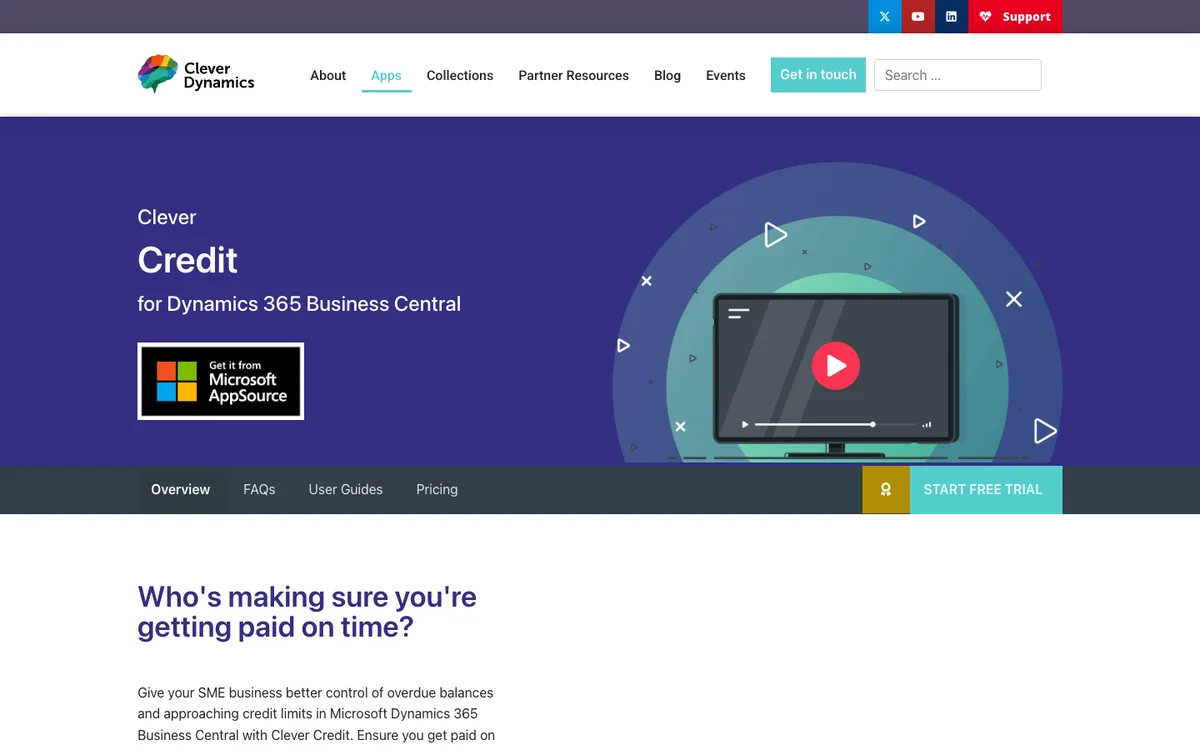
Clever Credit, from Clever Dynamics, puts customers on credit hold inside Business Central and logs the chasing done on each account.
Fits: Business Central companies that ship goods and need to stop orders to customers who are overdue or over their limit
Entry cost: Not published on the product page, which links to Clever Essentials pricing
Rated: No rating read
Does best: automatic credit holds on sales documents for overdue or over-limit customers, with a grace period
Clever Credit logs chasing activity, promised payments and disputes. A follow-up date creates a diary to-do, and the to-do completes itself when a payment is allocated. It is listed on Microsoft AppSource.
Limitations with Clever Credit. It manages holds and the chasing log; the product page does not describe sending reminders by SMS, a portal or late fees.
7. Sysco, best for reviewed credit holds
Best for: credit-limit holds with controller review.
Sysco Credit Control places a customer on credit hold when the balance plus outstanding sales exceeds the credit limit.
Fits: Business Central companies that want a named controller to approve each release of a held order
Entry cost: Not published; the vendor’s page leads to a contact form
Rated: No rating read
Does best: credit holds that designated controllers review and release, with every action logged
Limitations with Sysco Credit Control. The vendor’s page states no price and does not mention Microsoft AppSource. It covers the credit hold, not the chasing that follows.
8. Credit Hound, best for a dispute worklist
Best for: a team that wants a GBP licence price and a dispute worklist.
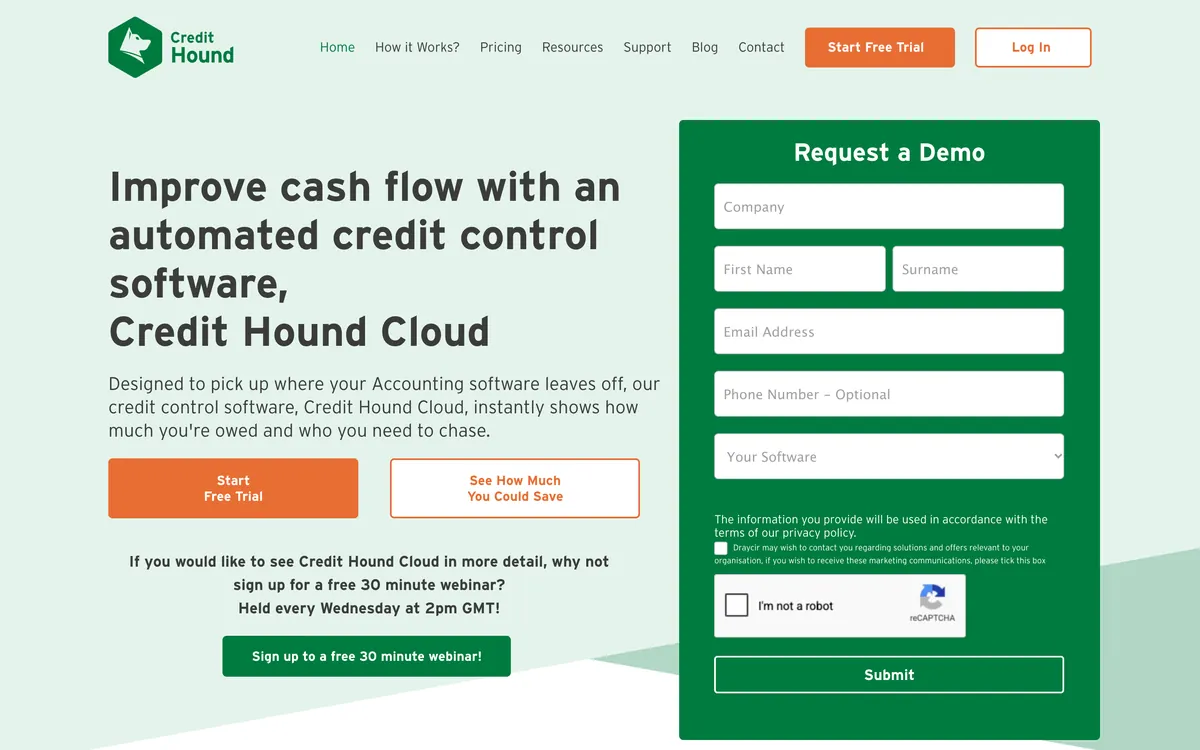
Credit Hound, from Draycir, is a credit control product whose price guide covers Microsoft Dynamics GP, NAV and Dynamics 365 Business Central.
Fits: UK teams that chase from a worklist and want disputes and promised payments tracked in one place
Entry cost: for one user and unlimited companies, a £2,500 initial licence plus £500 a year (year one included), or a £131 monthly subscription. Each extra full user is £1,000 plus £210 a year, or £56 a month; a reports-only user is £550 plus £116 a year, or £31 a month. Set-up, training and support are priced on application (Credit Hound price guide, published by Well Keen Ltd)
Rated: 5.0 from 11 on the Sage UK Marketplace, for the Sage edition
Does best: dispute logging with who, amount and reason, plus promised cash reports
Draycir’s own knowledge base describes the Business Central link as an external utility that copies the required tables from the cloud database into an interim database that Credit Hound reads. Chasing runs by email and letter, and overdue accounts can be frozen.
Limitations with Credit Hound. We found no statements, late fee or statutory interest function, and no payment plans. Payment links come through PayThem, a separately priced Draycir module. Whether Credit Hound is on Microsoft AppSource is not stated.
How much does accounts receivable software for Business Central cost?
Accounts receivable software for Business Central costs from nothing for a basic app to £899 a month for Chaser Complete, plus your Business Central licences and partner time.
| Tool | Published price | What the price depends on | Business Central gate |
|---|---|---|---|
| Paidnice | Custom from £749 a month | Quoted for your setup: the ERP connection, invoice volume and support | Custom plan |
| Chaser | £199, £599 or £899 a month | Company turnover | Plan not stated |
| Kolleno | $650 or $1,245 per user a month on the lower plans | Users and turnover | Enterprise only, priced on request |
| Collect 365 | Not published | Pricing guide on request | AppSource app |
| ASQiT Credit Control | Free (Basic) | Paid add-on apps | AppSource app |
| Clever Credit | Not published | Clever Essentials pricing | AppSource app |
| Sysco Credit Control | Not published | Contact the vendor | Not stated |
| Credit Hound | £131 a month, or £2,500 plus £500 a year | Users | Price guide names Business Central |
The tool is one of three costs. Microsoft lists Business Central Essentials at £61.50, Premium at £84.60 and Team Members at £6.20 per user per month, paid yearly, excluding VAT (Microsoft pricing page). Those prices rose for new subscriptions from 1 November 2025.
An app that your staff use inside Business Central needs those staff to hold Business Central licences. A SaaS tool’s users work in the vendor’s app instead. The licence rules are on our page on Business Central licence types, and the full ERP picture is in ERP pricing compared.
What does each route cost to keep running?
An AppSource app must keep working through two Business Central updates a year, and a SaaS tool needs its Entra app, secret and permissions kept current in every environment.
Microsoft ships two major Business Central releases a year, in April and October. Each update has a five-month update period, then a one-month grace period, then enforcement. In the enforced period, an extension that blocks the update might be automatically uninstalled. The data stays, but the app stops working until a compatible version is installed.
A SaaS tool avoids the install but carries its own upkeep. Its Entra app needs admin consent and a permission set in production and in each sandbox. A client secret has an expiry date, and a lapsed secret stops the sync without an error your team will see.
Partner time is the third cost. A third-party guide from ERP Research puts UK day rates at £800 to £1,200 for a functional consultant and £900 to £1,400 for an AL developer. We found no published figure for installing or maintaining an extension; each vendor prices it or quotes it. Our page on Business Central implementation cost covers the wider project.
What does IT have to set up for a SaaS tool?
A SaaS tool needs a Microsoft Entra app registration, admin consent, an enabled entry on the Microsoft Entra applications page in Business Central and a permission set, in each environment.
Microsoft documents the service-to-service setup in these steps:
- Register an app in the Microsoft Entra admin centre and create a client secret or certificate.
- Add the Business Central application permission API.ReadWrite.All, then grant admin consent.
- In Business Central, open Microsoft Entra applications, add the client ID and set the state to Enabled.
- Assign permission sets. SUPER cannot be assigned to an application; D365 AUTOMATION and EXTEN. MGT. - ADMIN cover typical automation.
Business Central online also sets limits that a busy integration can hit: 6,000 OData requests per user in a five-minute sliding window, five concurrent requests and 100 connections (Microsoft Learn). Webhook subscriptions expire after three days and must be renewed.
Each company sits in the API path, so a tool that serves several Business Central companies treats the same customer in two companies as two records. Ask your Microsoft partner whether the application user needs its own licence in your tenant.
Does Microsoft’s Finance Agent replace accounts receivable software?
No collections agent is documented for Business Central, so it does not replace accounts receivable software today.
Microsoft’s Finance Agent page describes collections in Outlook for Dynamics 365 Finance, SAP and other ERP applications, in US English only, and does not name Business Central (Microsoft Learn). The Business Central agents in the 2025 and 2026 release waves cover payables, sales orders and expenses, not receivables.
What Business Central does include is Late Payment Prediction. It predicts which posted invoices will be paid late and shows them on a Business Manager tile (Microsoft Learn). It does not send or change a reminder.
How does UK credit control work in Business Central?
UK law lets a supplier charge interest at 8% a year above the Bank of England base rate on a late B2B invoice, plus a fixed sum of £40, £70 or £100 by debt size.
The rates are set out on GOV.UK, and our guide to late payment fees in the UK explains when they apply. The fixed sum is £40 on a debt under £1,000, £70 from £1,000 to under £10,000 and £100 from £10,000.
Business Central can model the statutory rate by setup. You create Finance Charge Terms and add an interest rate row for each six-month period at base rate plus 8%. Microsoft’s own example changes the rate on 1 January and 1 July (Microsoft Learn). Someone has to add each new row manually.
The fixed sums are harder to model. A reminder fee attaches to a reminder level, so it can repeat at each level rather than land once per invoice. HMRC treats late payment interest as outside the scope of VAT (HMRC manual VATSC06810); the VAT result in Business Central depends on the VAT posting group of the interest and fee G/L accounts.
| Tool | Works out statutory interest itself? |
|---|---|
| Paidnice | Yes: a Bank of England base rate mode, per customer group |
| Chaser | Yes: a Bank of England base rate type, one rule set for the account |
| Kolleno | None found |
| Collect 365, ASQiT, Clever Credit, Sysco | Not stated |
| Credit Hound | None found |
| Business Central alone | By setup: a rate row per six-month period, added manually |
On payment collection, Business Central’s native direct debit is SEPA in euros only. A UK business that collects by Bacs direct debit needs a third-party extension or a payment provider outside Business Central.
Common questions
What is the best accounts receivable software for Business Central?
It depends on your route and size. Paidnice fits a team that wants late fees, statements, SMS and reply reading through a custom connection, and Chaser and Kolleno also connect from outside Business Central. Collect 365, ASQiT, Clever Credit and Sysco work inside Business Central, and Credit Hound reads a copy of its data.
Does Business Central have built-in credit control?
Yes. Business Central has reminder terms with unlimited levels, finance charge memos, customer statements, credit limits and Reminder Automation, generally available since 1 April 2024. It sends by email or print only, with no SMS, no customer portal and native payment links only through PayPal.
Is accounts receivable credit control?
Credit control is part of accounts receivable. Accounts receivable covers everything owed to you, from invoice to cash. Credit control is the work of setting credit limits and chasing overdue invoices so that customers pay on time.
Should I use an AppSource app or a SaaS tool?
Use an AppSource app if your team works only in Business Central and chases mostly by email. Use a SaaS tool if you need SMS, a payment portal, reply handling or several companies in one view. Apps keep staff in Business Central and SaaS tools add channels, and both need upkeep.
Can I send SMS reminders from Business Central?
Not natively. Business Central sends reminders by email or print. Of the tools on this list, Paidnice, Chaser and Kolleno document SMS; Kolleno includes 400 SMS or calls on its Enterprise plan, which is the plan that carries Business Central.
How much does accounts receivable software for Business Central cost?
Prices run from free for ASQiT Credit Control Basic to £899 a month for Chaser Complete. Credit Hound costs £131 a month or a £2,500 licence plus £500 a year. Paidnice is Custom from £749 a month, quoted for your setup, and Kolleno prices Business Central on request.
How does a SaaS tool connect to Business Central?
You need a Microsoft Entra app registration, admin consent for API.ReadWrite.All, an enabled entry on the Microsoft Entra applications page and a permission set, in each environment. Chaser’s own setup also needs a person with Global Admin rights and a full Business Central licence.
Can credit control software charge statutory interest on UK invoices?
Yes, some can. Paidnice applies a Bank of England base rate mode per customer group, and Chaser has a base rate type under one rule set. Business Central can charge it through Finance Charge Terms if someone adds a new rate row each six months. See how much you can charge in late fees.
Where the figures come from
- Business Central receivables: Microsoft Learn pages on reminder terms, Reminder Automation, blocked customers, payment services and multiple interest rates.
- Integration and upkeep: Microsoft Learn on operational limits and the update rollout timeline.
- Prices: the Chaser pricing page, the Kolleno pricing page, the Credit Hound price guide published by Well Keen Ltd, the Paidnice pricing page and the Microsoft Business Central pricing page.
- Connections and features: Chaser’s help article on connecting Business Central, Professional Advantage’s Collect 365 page, ASQiT’s Credit Control Basic listing, Clever Dynamics’ Clever Credit page, Sysco’s credit control page and Draycir’s knowledge base.
- UK law: GOV.UK on statutory interest and HMRC VATSC06810.
- Partner rates: ERP Research, UK edition (third-party).
- Ratings: Xero App Store, G2 and the Sage UK Marketplace.
No vendor paid to appear on this page.
People also read
Buyer's guide
Best credit control software for UK SMEs
Statutory interest, chasing and credit risk compared.
Pricing
Business Central licence types
Essentials, Premium and Team Members, priced in six currencies.
Review
Chaser review
Credit control with Creditsafe checks and multi-channel chasing.
Pricing
Business Central credit control pricing
UK prices and total cost for three companies.
Sources
16 sources, checked by Julie Turnbridge on October 27, 2026
- unlimited levels learn.microsoft.com/en-us/dynamics365/business-central/fi...
- Microsoft Learn learn.microsoft.com/en-us/dynamics365/business-central/fi...
- Microsoft Learn learn.microsoft.com/en-us/dynamics365/business-central/re...
- Microsoft Learn learn.microsoft.com/en-us/dynamics365/business-central/sa...
- Chaser pricing page chaserhq.com/pricing
- Xero App Store apps.xero.com/uk/app/chaser
- Kolleno pricing page kolleno.com/pricing
- G2 g2.com/products/kolleno/reviews
- Microsoft pricing page microsoft.com/en-gb/dynamics-365/products/business-centra...
- might be automatically uninstalled learn.microsoft.com/en-us/dynamics365/business-central/de...
- Microsoft Learn learn.microsoft.com/en-us/dynamics365/business-central/de...
- Microsoft Learn learn.microsoft.com/en-us/copilot/finance/welcome
- Microsoft Learn learn.microsoft.com/en-us/dynamics365/business-central/ui...
- GOV.UK gov.uk/late-commercial-payments-interest-debt-recovery/ch...
- Microsoft Learn learn.microsoft.com/en-us/dynamics365/business-central/fi...
- HMRC manual VATSC06810 gov.uk/hmrc-internal-manuals/vat-supply-and-consideration...